Should You Buy the Curved Gaming Monitors in 2026? A Deep Dive
I remember the first time I sat down in front of a 1000R curved display and felt like I was actually entering a digital space rather than just staring at a flat piece of glass. It is now well into 2026, and the landscape of gaming hardware has evolved significantly since the early days of the "curved craze." Over the last six months, I have lived with, gamed on, and worked with two different curved gaming monitors: a massive 49-inch super-ultrawide and a more standard 32-inch 1440p model. After hundreds of hours spent in everything from high-stakes competitive shooters to slow-paced strategy games, I have developed a love-hate relationship with these panels that I think every potential buyer needs to hear about.
When I first unboxed my unit, I was skeptical. I had spent years on a high-fidelity flat IPS panel and was convinced that the "immersion" promised by marketing teams was just a gimmick to justify higher manufacturing costs and premium price tags. In my experience, however, the reality is far more nuanced. Transitioning to a curved screen isn't just about aesthetics; it fundamentally changes how your eyes track movement across a digital canvas. What I found was that while the benefits for gaming are undeniable, the trade-offs for professional work and specific genres of play are equally significant.
The Evolution of the Curve: My Daily Experience
I’ve been using these monitors for both my 9-to-5 remote job and my nightly gaming sessions, and one thing that bothered me early on was the adjustment period. If you’ve spent your whole life looking at flat rectangles, your brain has a "muscle memory" for where lines should be. For the first three days, I felt like the world was slightly warped. I noticed that when I was editing spreadsheets, the cells appeared to "pinch" toward the center. However, by day five, something clicked. My eyes stopped straining to see the far corners of the screen. Because the edges of the monitor were now equidistant from my pupils as the center, the constant refocusing my eyes used to do on flat screens simply stopped. This was a physical relief I hadn't expected.
In terms of gaming, which is why most of us are here, the experience was transformative for some titles and frustrating for others. After testing for dozens of hours in flight simulators and racing games, I can confidently say I will never go back to a flat screen for those genres. In a cockpit view, the curve matches the natural peripheral vision of a human being. I was surprised by how much more "speed" I felt in racing sims because the scenery was rushing past the sides of my vision in a way that felt consistent with the center. In contrast, when I jumped into a highly competitive, fast-paced tactical shooter, things were different. I found that I actually missed the flat perspective where my crosshair and the edge of the map felt like they occupied the same spatial plane. On a curved screen, a map in the top corner feels like it’s "around the corner" from your center of focus.
What I Appreciated After Six Months
One specific thing I appreciated was the reduction in "IPS glow" and color shift. On large flat screens, if you sit close enough, the corners are at such an angle to your eyes that colors can look slightly washed out. Because the curve angles those pixels directly toward your face, the color consistency across the entire panel felt much more uniform than any flat 32-inch screen I’ve owned. I also found that the 1000R curve—which is quite aggressive—actually helped me focus during deep work sessions. It feels like a "privacy hood" for your productivity, blocking out distractions from the room around you and keeping you centered on the task at hand.
However, I have to be honest about the disappointments. One thing that really frustrated me was the glare management. I noticed that because the screen is concave, it catches light from various angles in the room and "pools" it in the center. If I had a lamp behind me or a window to my side, the curve would catch that reflection and stretch it across a larger portion of the screen than a flat monitor would. I eventually had to rearrange my entire desk setup and buy blackout curtains just to make the experience usable during the day. It’s a real owner’s struggle that you don't see mentioned in the glossy brochures.
Discover deals on Electronics — updated daily.
See Deals →Distinguishing the Tech: Curve Types in 2026
If you're looking at the market right now, you'll see ratings like 1800R, 1500R, and 800R. These numbers represent the radius of the circle the monitor would form if you had enough of them to complete a full ring. A lower number means a tighter, more aggressive curve. After testing various models, I found that the 1800R curve is almost negligible on anything smaller than 34 inches. If you are going to go curved, I recommend going for at least 1500R or 1000R; otherwise, you're paying for a curve you'll barely notice after the first hour.
Pros and Cons of Curved Panels
- Pro: Reduced Eye Fatigue: In my experience, the uniform distance from eye to screen signi…
Feature Flat Monitor Curved Monitor (1500R/1000R) My Winner Immersion Standard perspective; feels like looking at a window. Enveloping; fills peripheral vision for "inside the world" feel. Curved Color Accuracy High, but edges can shift depending on viewing angle. Highly consistent because pixels face the user directly. Curved Professional Use Essential for design, CAD, and photo editing work. Distorts straight lines; difficult for precision visual work. Flat Price to Performance Generally cheaper; more budget for high refresh rates. Premium price; cost goes toward the chassis and bending. Flat Desktop Space Slim, easy to wall mount or push against a back wall. Heavier, deeper, and requires more desk clearance. Flat Buying Guide: Is It Right for You?
Before you commit, you need to consider your physical environment. I was surprised by how much my desk depth mattered. If you have a shallow desk, a 1000R monitor will feel like it’s attacking you. You need at least 30 inches of depth to let the curve breathe. Furthermore, think about who else uses the monitor. When I tried to show my friend a video, he sat to my side and immediately complained that the image looked "weird." Curved monitors are selfish pieces of hardware; they are designed for one person in one specific chair.
Another thing I noticed was the importance of the resolution. On a curved 32-inch screen, 1080p looks terrible because the curve makes you notice individual pixels more at the periphery. In 2026, I wouldn't recommend a curved monitor that is anything less than 1440p (QHD). If you’re going for a 34-inch ultrawide, you really want the extra vertical real estate. I found that 21:9 is the "Goldilocks" aspect ratio for curves—wide enough to justify the bend, but not so wide that you’re physically turning your neck to see the edges of your HUD.
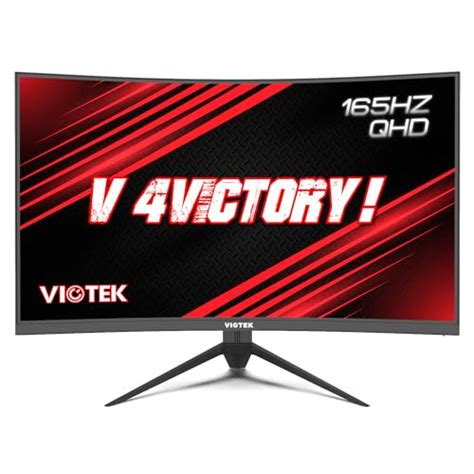
If you primarily play FPS games like Counter-Strike or Valorant, I’d suggest staying with a flat 24 or 27-inch panel. In my experience, the curve adds a layer of spatial calculation that your brain doesn't need when every millisecond counts. On the other hand, if you are a fan of sprawling RPGs, racing simulators, or cinematic action games, the curve is an upgrade you will feel every time you boot up the system. It adds a "weight" and "presence" to the game world that a flat screen just can't replicate.
Discover deals on Electronics — updated daily.
Shop Amazon →Final Thoughts After Half a Year
After several months of testing, I’ve decided to keep my curved monitor as my primary display, but I’ve kept a smaller 27-inch flat panel to the side for specific tasks. I found that the curve is a luxury that becomes a necessity once you get used to it. The "pinch" I noticed in spreadsheets eventually disappeared as my brain adjusted, and now when I go back to a flat screen, it actually looks like it’s bulging toward me—a bizarre phenomenon known as the "reverse-curve effect."
The 2026 market for curved monitors is more mature than ever. We've moved past the "curve for the sake of curve" phase and into a period where the technology serves a functional purpose. While I was disappointed by the glare issues and the desk real estate it consumed, the reduction in eye strain alone has made it worth the investment for me. If you are a dedicated gamer who wants to feel "inside" your games, and you have a desk setup that can handle the light reflections, a curved monitor is likely to be the best upgrade you make this year. It isn't just about how the monitor looks when it's off; it's about how much more natural the digital world feels when it's wrapped around you.
In conclusion, the answer to "should you buy a curved gaming monitor in 2026" is a resounding yes, provided you aren't an architect or a graphic designer. For everyone else, the ergonomic benefits and the sheer fun of the immersion outweigh the technical quirks. Just make sure you measure your desk and buy some decent curtains before you bring one home.