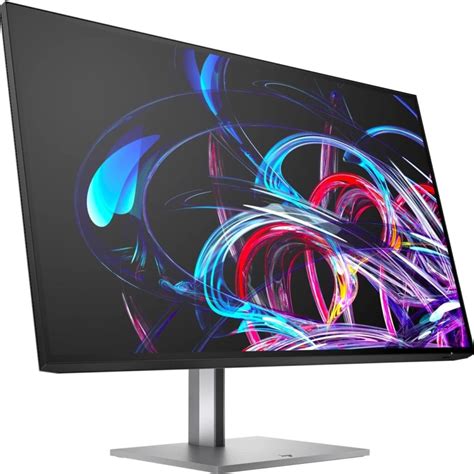
Pc Monitor Specs, Features, and Value: Is it worth the price tag?
In the modern digital landscape, the line between professional workstations and high-end entertainment hubs has blurred. At the center of this convergence is the desktop monitor, a peripheral that has evolved from a simple beige box into a sophisticated piece of optical engineering. While televisions have long dominated the living room, the "PC monitor" has carved out a distinct niche defined by pixel density, color accuracy, and responsiveness. For many consumers, the primary question remains: what makes a premium display worth hundreds or even thousands of dollars more than a budget-level screen? Understanding the intricacies of specifications like refresh rates, panel technologies, and color gamuts is essential for determining if a specific monitor truly justifies its price tag.
The PC monitor market is currently experiencing a technological renaissance. We are seeing a shift where features once reserved for professional colorists or competitive eSports athletes are trickling down into the consumer mainstream. OLED technology, once the exclusive domain of high-end TVs, is now appearing in 27-inch and 32-inch form factors. High refresh rates that once hovered at 60Hz or 75Hz are now pushing toward 360Hz and beyond. However, with these advancements come complex marketing terms that can confuse even the most tech-savvy buyers. This analysis aims to deconstruct the core components of the modern PC monitor to assess where value truly lies in relation to cost.
Detailed Product Analysis: The Anatomy of Modern Displays
To evaluate whether a monitor is worth its price, one must first look at the panel technology, which serves as the heart of the device. The three primary types found in today’s market—In-Plane Switching (IPS), Vertical Alignment (VA), and Organic Light Emitting Diode (OLED)—each offer a different value proposition. IPS panels are the gold standard for office work and creative projects because they offer the most consistent color reproduction and wide viewing angles. When a user moves their head or shifts in their chair, the colors on an IPS screen remain stable. This reliability is why IPS monitors often carry a price premium over standard VA panels, though the latter are favored for their deep blacks and high contrast ratios, making them excellent for cinematic media consumption in dark rooms.
Recent years have seen the rise of Mini-LED and OLED as the "premium" tier of PC monitors. Mini-LED utilizes thousands of tiny backlights to provide localized dimming, allowing for HDR (High Dynamic Range) performance that rivals high-end televisions. The value here is found in the "pop" of the image; highlights can become incredibly bright while shadows remain dark. OLED takes this a step further by removing the backlight entirely, allowing every individual pixel to turn off. The result is "infinite" contrast. For a gamer or a movie enthusiast, the leap to OLED or Mini-LED is often cited as the single most impactful upgrade one can make to a desk setup, though it significantly inflates the price tag.
Resolution is the next critical factor. While 1080p (Full HD) remains the baseline for budget displays and high-speed competitive gaming, 1440p (QHD) has become the "sweet spot" for many users. It provides a noticeable jump in clarity without requiring the immense graphical processing power needed to run 4K. 4K monitors (Ultra HD) are becoming more common, especially for productivity, where the increased screen real estate allows for multiple windows to be open side-by-side with crisp text. However, pixel density—measured in Pixels Per Inch (PPI)—is actually more important than raw resolution. A 27-inch 1440p monitor often looks sharper than a 32-inch 4K monitor depending on the viewing distance, a nuance that buyers must consider before paying more for higher resolutions.
Refresh rate and response time are the metrics that define the "feel" of a monitor. Standard monitors run at 60Hz, meaning the image updates 60 times per second. Higher-end monitors offer 144Hz, 240Hz, or even higher. For the average office worker, 60Hz is functional, but 144Hz provides a smoothness to mouse movements and window scrolling that reduces eye strain and makes the OS feel more responsive. For gamers, this isn't just a luxury; it is a functional advantage. Higher refresh rates reduce motion blur, making it easier to track moving objects. When combined with low response times (the time it takes for a pixel to change colors), these specs prevent "ghosting," where a trail follows moving images on the screen.
Looking for the best TVs & Home Theater deals on Amazon?
Browse Now →The Real-World Impact of Professional Color Gamuts
For photographers, videographers, and graphic designers, the value of a monitor is measured in its ability to accurately represent the real world. This is where "Color Gamut" and "Delta E" come into play. A budget monitor might only cover 90% of the sRGB color space, meaning some vibrant colors will appear dull. Premium "Pro" monitors often cover 100% of sRGB, 99% of Adobe RGB, and a high percentage of DCI-P3. Furthermore, they come "factory calibrated," meaning the manufacturer has tuned the monitor to ensure that a specific shade of blue on the screen matches the industry standard. For someone earning a living through digital media, paying an extra $500 for a monitor with a low Delta E (a measure of color inaccuracy) is an essential business investment, whereas the average home user would likely not perceive the difference.
Pros and Cons of Investing in High-End PC Monitors
- Pro: Enhanced Productivity – Higher resolutions and larger ultrawide aspect ratios allow users to view more data at once, reducing the need for constant window switching.
- Pro: Future-Proofing – Investing in a high-quality display with modern standards like DisplayPort 2.1 or HDMI 2.1 ensures compatibility with next-generation hardware for years to come.
- Pro: Eye Health – Premium monitors often include better flicker-free technology and hardware-level blue light filters that minimize digital eye strain during long working hours.
- Pro: Resale Value – Unlike many PC components, high-quality monitors tend to hold their value longer than CPUs or GPUs, which become obsolete more rapidly.
- Con: Diminishing Returns – The jump from $200 to $500 is often transformative, but the jump from $1,000 to $2,000 often yields smaller, niche improvements that only specialists will notice.
- Con: Hardware Requirements – High-spec monitors often require expensive computer hardware (like high-end graphics cards) to actually utilize their full resolution or refresh rate.
- Con: QC Variability – Even expensive monitors can suffer from "panel lottery" issues like backlight bleed or IPS glow, which can be frustrating after a significant investment.
Comparison of PC Monitor Use Cases
Choosing the right monitor depends heavily on the intended use case. Buying a monitor that exceeds your needs can lead to wasted capital, while buying one that falls short can lead to frustration. The table below illustrates how specs align with different user requirements.
| User Category | Recommended Resolution | Ideal Panel Type | …
|---|